This help article applies to users on Fresh Projects Version 1.
Which version of Fresh Projects am I using?
If you are on Fresh Projects Version 2 please use this article : Adding the Calendar Feed to Outlook 365
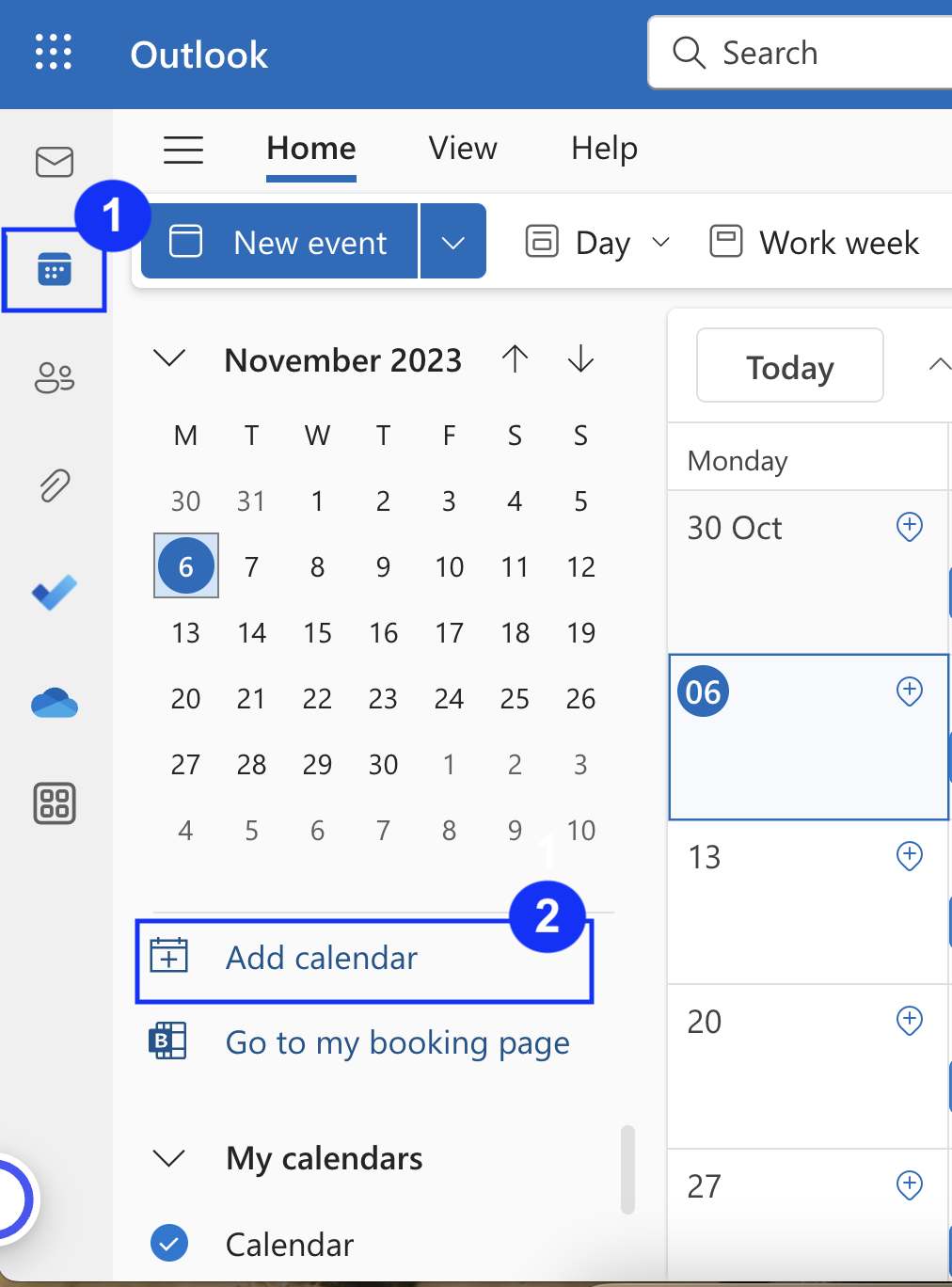
1. In Outlook 365, click calendar in the left side menu bar then Add Calendar:
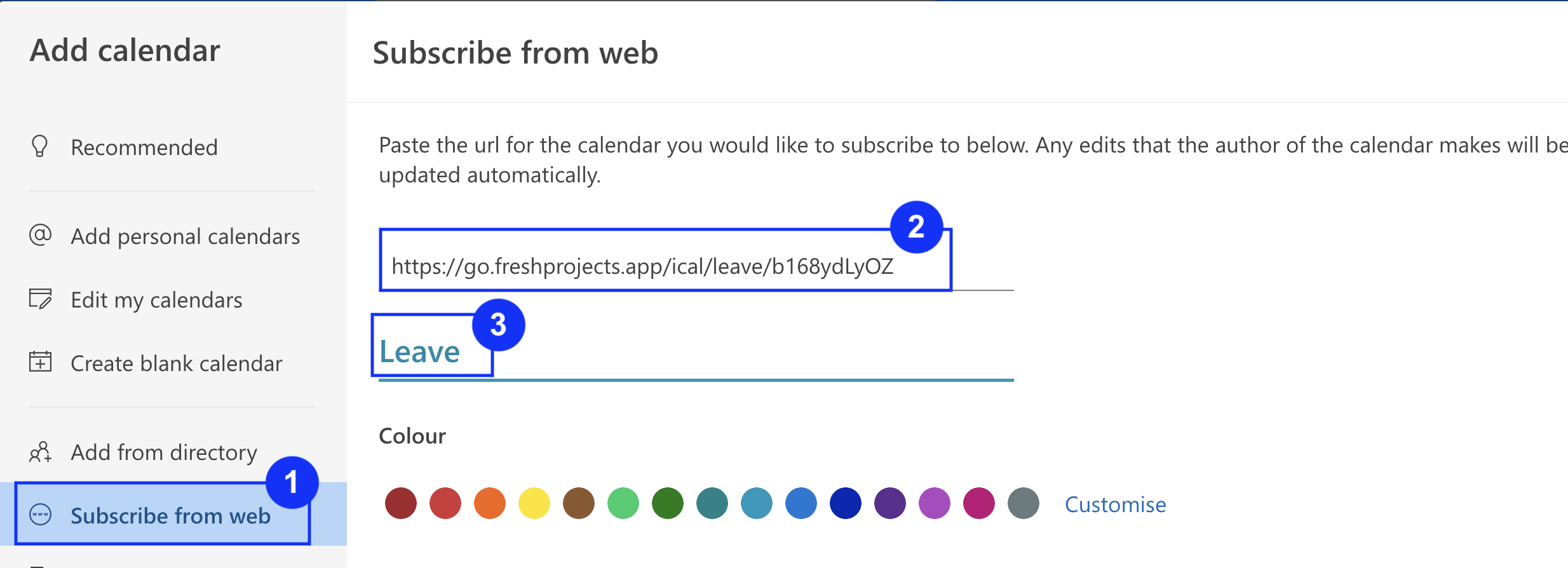
3. Click Subscribe from web > Paste your unique fresh projects URL > Give the calendar a name and click Import
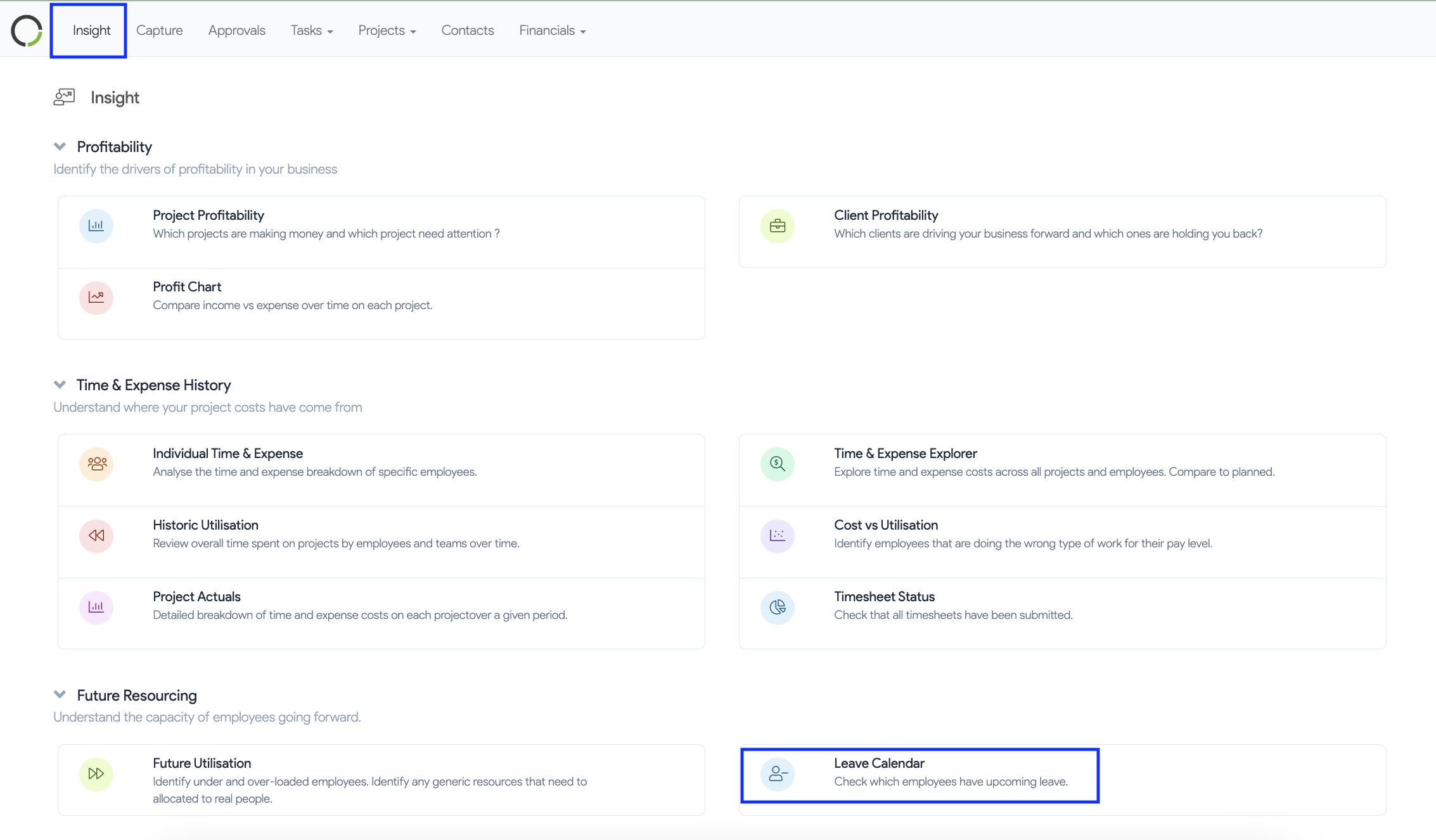
4. To find the Fresh Project Calendar Feed URL. Navigate to Insights > Leave Calendar
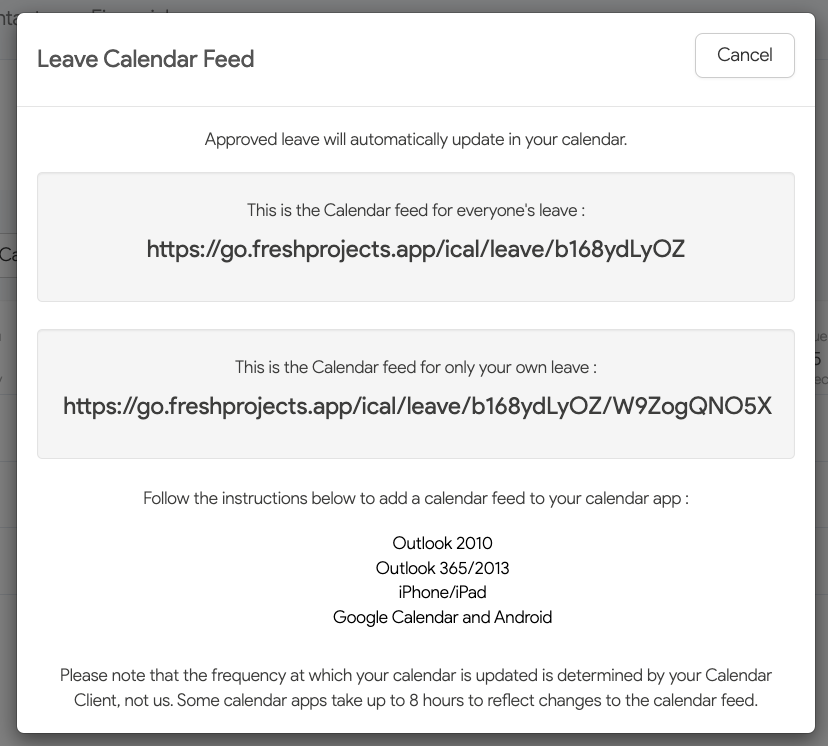
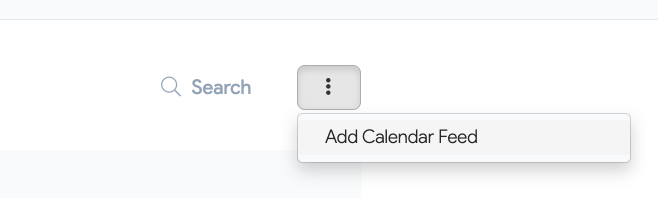
5. Click on the three dots
6. Copy and paste your unique Fresh Project Calendar Feed URL