
By connecting Fresh Projects to Zapier, you can automatically push key updates—such as a new Lead, Project, Client, or Employee being added—into other systems like HubSpot, Slack, Google Sheets, Microsoft Teams, email tools, or finance platforms, ensuring everything stays in sync without manual admin.
The Fresh Projects Zapier integration can be viewed at: https://zapier.com/apps/fresh-projects-ca1/integrations
Currently the integration supports a one-way flow from Fresh Projects to the 3rd party for:
- New Project: Retrieves a list of new projects created since the last request
- New Lead: Retrieves a list of new leads created since the last request
- New Company: Retrieves a list of new companies (clients) added since the last request
- New Employee: Retrieves a list of new employees added since the last request
- Updated Project: Retrieves a list of projects that have changed their project status or pipeline stage since the last request
We limit responses to only share any new items created since the past query (ie changes only) How to Set up the Fresh Projects and Zapier Integration
1. Create a Zapier Account
Navigate to https://zapier.com/ and sign up for a Zapier Account
2. Create a New Fresh Projects User with Director / Administrator Access to your Fresh Projects account
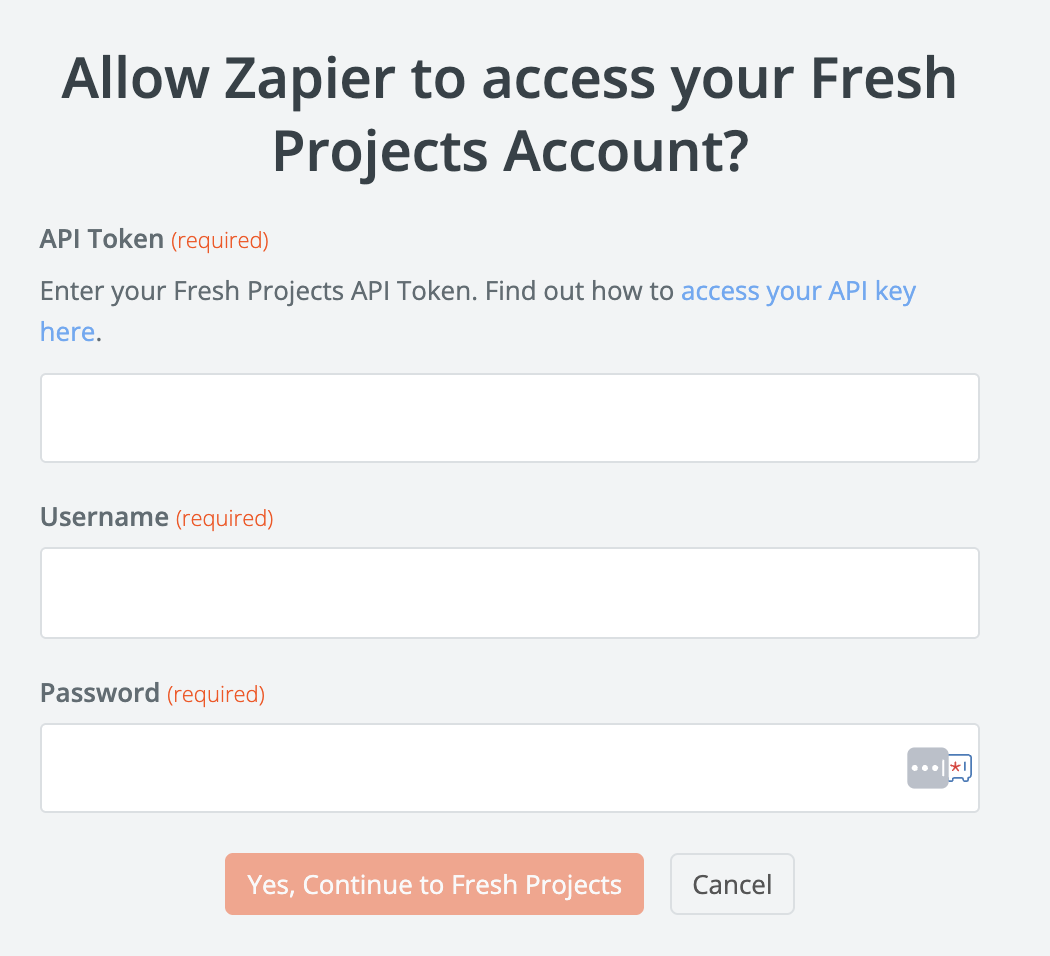
The username and password used to authenticate requests must be a valid user on your Fresh Projects account and must have a Administrator license. Please note that any request made to the API will create a new session for this user - thereby expiring any other session the user may already have. So it is recommended that a dedicated user account be used for all API requests.
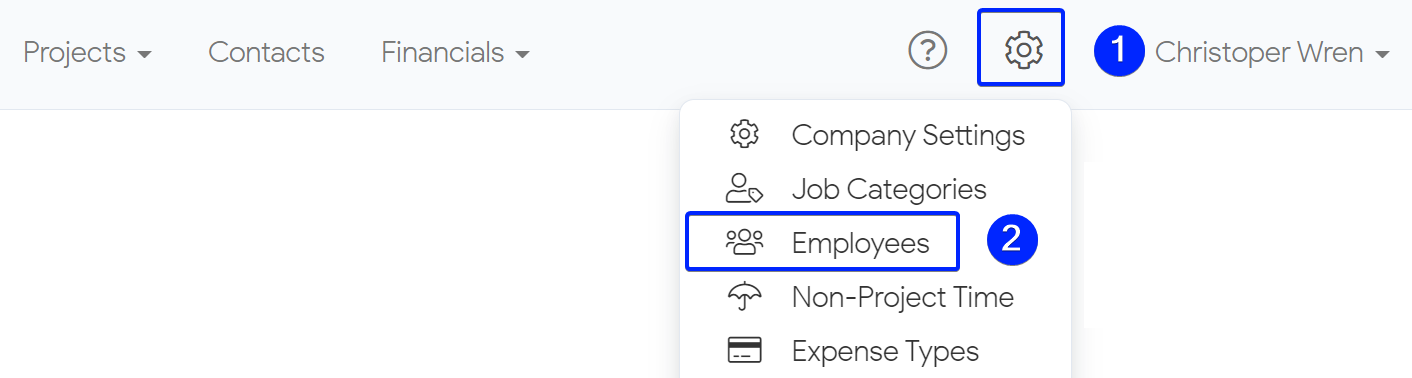
- To add a new employee click on the Configurations tab and select Employees from the drop-down list.
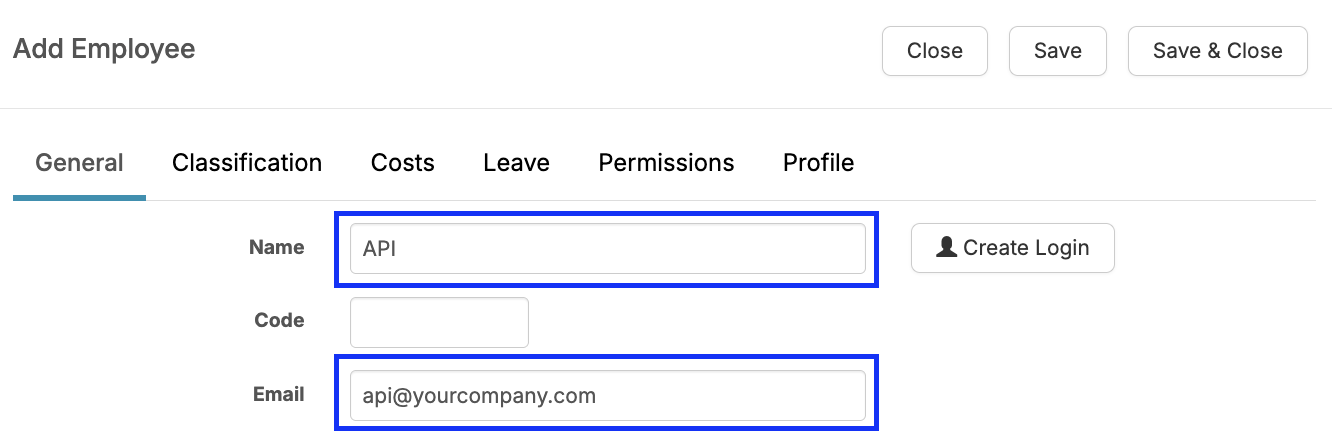
- Once you are on the employees page click on the + Add Employee button.

- Input a name and placeholder email address
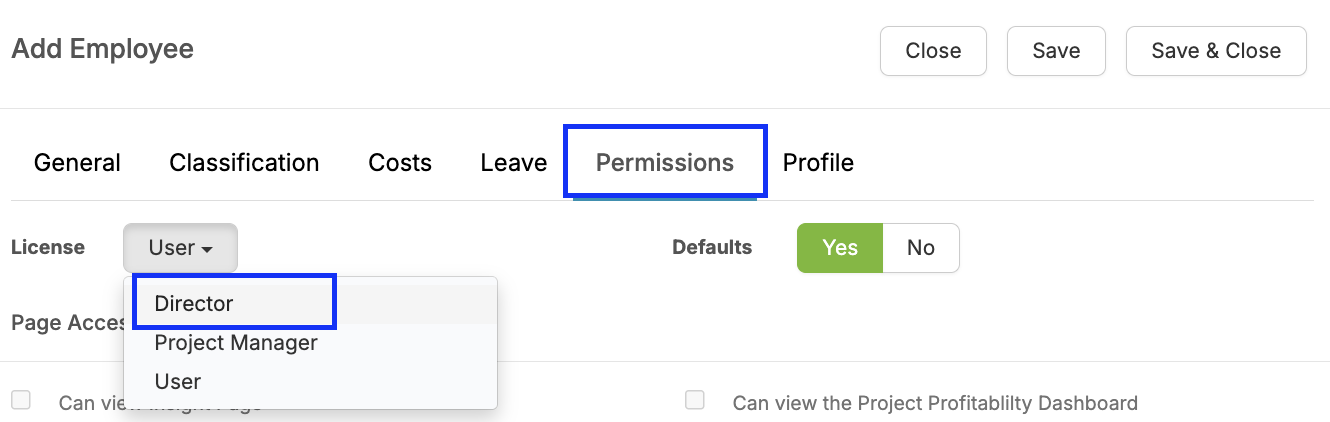
- On the Permissions tab, set the permission to Director (or Administrator depending on your account configuration).
- Save & Close

3. Request an API Key
Send an email to support@freshprojects.co.uk requesting your API Key, once your API Key is received then proceed to the next step.
It can take up to 7 days for the API Key to be generated
4. Login to Zapier and connect to Fresh Projects
- Login into your Zapier account at https://zapier.com/
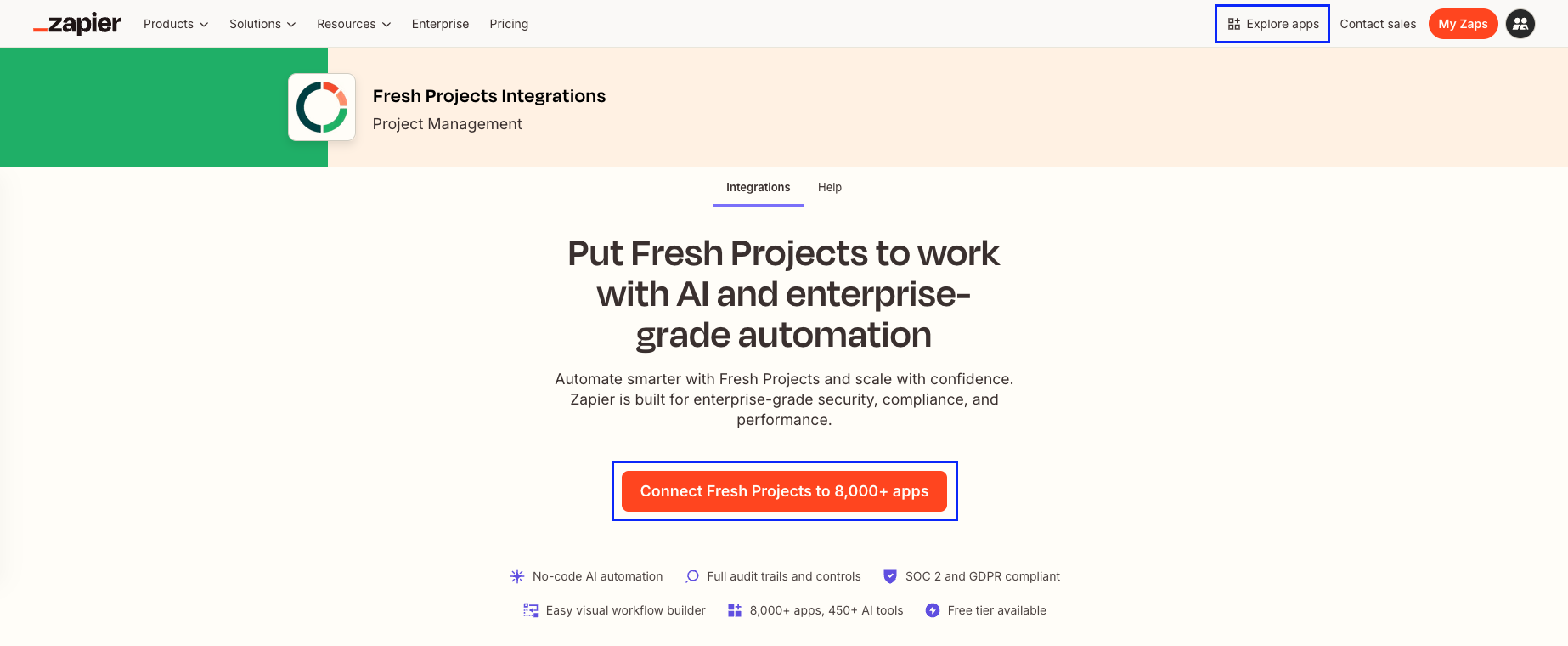
- Under "Explore Apps" choose Fresh Projects or follow this link: https://zapier.com/apps/fresh-projects-ca1/integrations
- And choose "Connect Fresh Projects"
- Go to Account > Connect Fresh Projects > Sign In
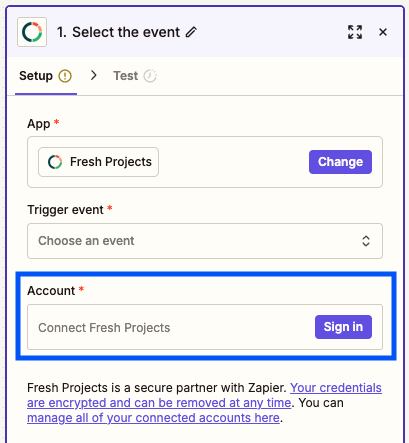
- In the pop up sign in using the API Key Provided by Fresh Projects and the API specific user created in Step 2.
For more detail on connecting to Zapier see: https://help.zapier.com/hc/en-us/articles/8496258785421-Connect-your-app-accounts-to-Zapier
5. Your Fresh Projects account is now connected with Zapier.
6. You can now create your first Zapier Automation, see more on Zapier's Help Guide for Creating your first Zap.
We hope this article was helpful. If you have any questions, please do not hesitate to reach out to us. Our support team is always happy to help!